Recording movements retrospectively
The movement of objects and containers is documented in a dedicated Movement history data source in the Standard Model. Any change to an object or container's Current location automatically creates a record in the Movement history data source, which is listed on the Movement history panel in the object or container record. More details here.
For the most part, manually creating Movement history records is unnecessary and this option is not available to most users by default. However, Application and Data Administrators do have access to the New record button in the Record details View toolbar. This allows authorized users to document movements retrospectively, typically when a past movement was not automatically captured by the collection management system.
The key panel when manually creating a record to capture the historical movement of an object or container is the Movement history details panel. Details added here can be supported with supplementary documentation on the Digital references panel, and the Free fields panel as required:
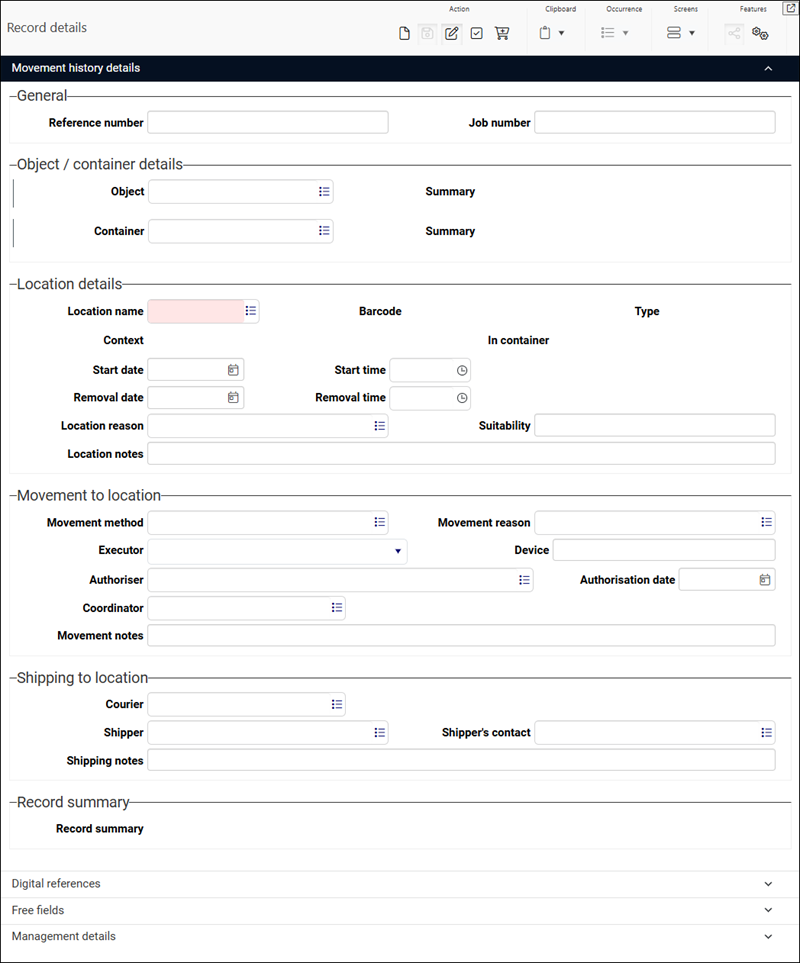
Key fields for recording the historical location of an object / container are described below. Other fields can be used if details are available, and the various notes fields (e.g. Location notes and Movement notes) should be used to clarify the information recorded in a field group and / or to provide additional details):
|
Field group |
Field |
Details |
|---|---|---|
|
General |
Reference number / movement.reference (mR) |
This field can be ignored as a unique Reference number for the record is automatically assigned when the record is saved. |
|
Object / container details |
Object / object (IN) Container / container (CT) |
Linked fields
Details about working with the Find data for the field box can be found here. |
|
Location details |
Location name / location (ST) |
A mandatory field. A Linked field to Locations and containers. Select the location where the object / container was (historically) located. |
|
Start date / start_date (SS) |
Date field. The date that the item was moved to the location. |
|
|
Removal date / removal_date (SE) |
Date field. If no longer in the location, the date that the item was moved from it. |

 icon to display the Find data for the field box and search for the relevant object.